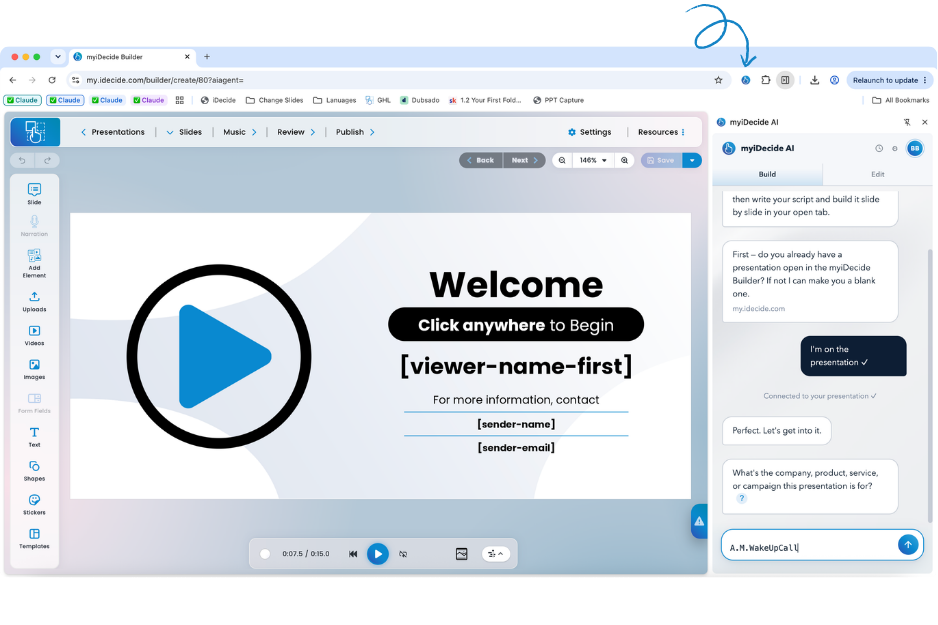
The AI iDecide Builder is a Chrome extension that builds your myiDecide presentations for you. You answer a few questions about your business, and it writes the script, designs the slides, finds images and footage, records the narration, and sets up your menus and buttons while you watch.
What you need #
- Google Chrome on a laptop or desktop computer. It does not work on a phone or tablet.
- A myiDecide account, which comes with iDecide Pro.
- About 20 minutes for your first build. No design experience is needed.
Get started in this order #
- New to extensions? Start with What Is a Chrome Extension?
- Add it to Chrome: How to Install the AI iDecide Builder
- Build your first one: Build Your First Presentation With AI
- Make changes: Edit Your Presentation With AI
More help #
Build History
Resume a build, reopen a past presentation, or download a build record for support. See Using Build History.
Troubleshooting
Fixes for every error code, plus how to reach us. See Troubleshooting the AI iDecide Builder.
Questions
Phones, privacy, existing presentations and more. See AI iDecide Builder FAQ.
Tip: Keep your myiDecide Builder tab visible the whole time a build runs. Chrome pauses tabs you can't see, and that is the most common reason a build stalls.