Let iDecide AI build your iDecide presentation.
Share your website or answer a few questions, and watch it build a full interactive presentation for you.
Launch special ends in
Free live webinar · Friday, October 30 at 2pm ET
Watch us build a presentation with iDecide AI, live.
Webinar replay
Missed it? Watch us build a presentation with iDecide AI.
What is myiDecide?
You've been sending your company's iDecide presentation. myiDecide is the platform where you can build your own interactive presentations for any business, as many as you want.


The presentation you send already works. Now build one that's yours.
Building your own used to take time and skill. The iDecide AI Presentation Builder now does the heavy lifting for you.
No time to build? It builds while you watch.
Answer a few questions or drop in your website. In just a few minutes you have a full presentation with a script, slides, narration, menus, and buttons.
Not a writer or designer? You don't need to be.
The AI writes the script and lays out every slide. With the Launch Special, our design team also gives you up to 2 hours of help to polish it.
Build for every business you touch.
Make unlimited presentations for your side hustle, a family member's business, or any other company you work with.
“Had 3 people join my business last week straight from the presentation without even coming back to me for more information. It definitely works!!”
“Takes the salesy pressure off!! And to know exactly what the prospect is clicking on to be able to help them with THEIR GOAL in mind... is precious!!!”
“I sent out my FIRST interactive presentation and… it basically did the explaining for me. … That first presentation closed with very little help from me.”
New · iDecide AI Presentation Builder Chrome Extension
Your creative partner lives right in Chrome.
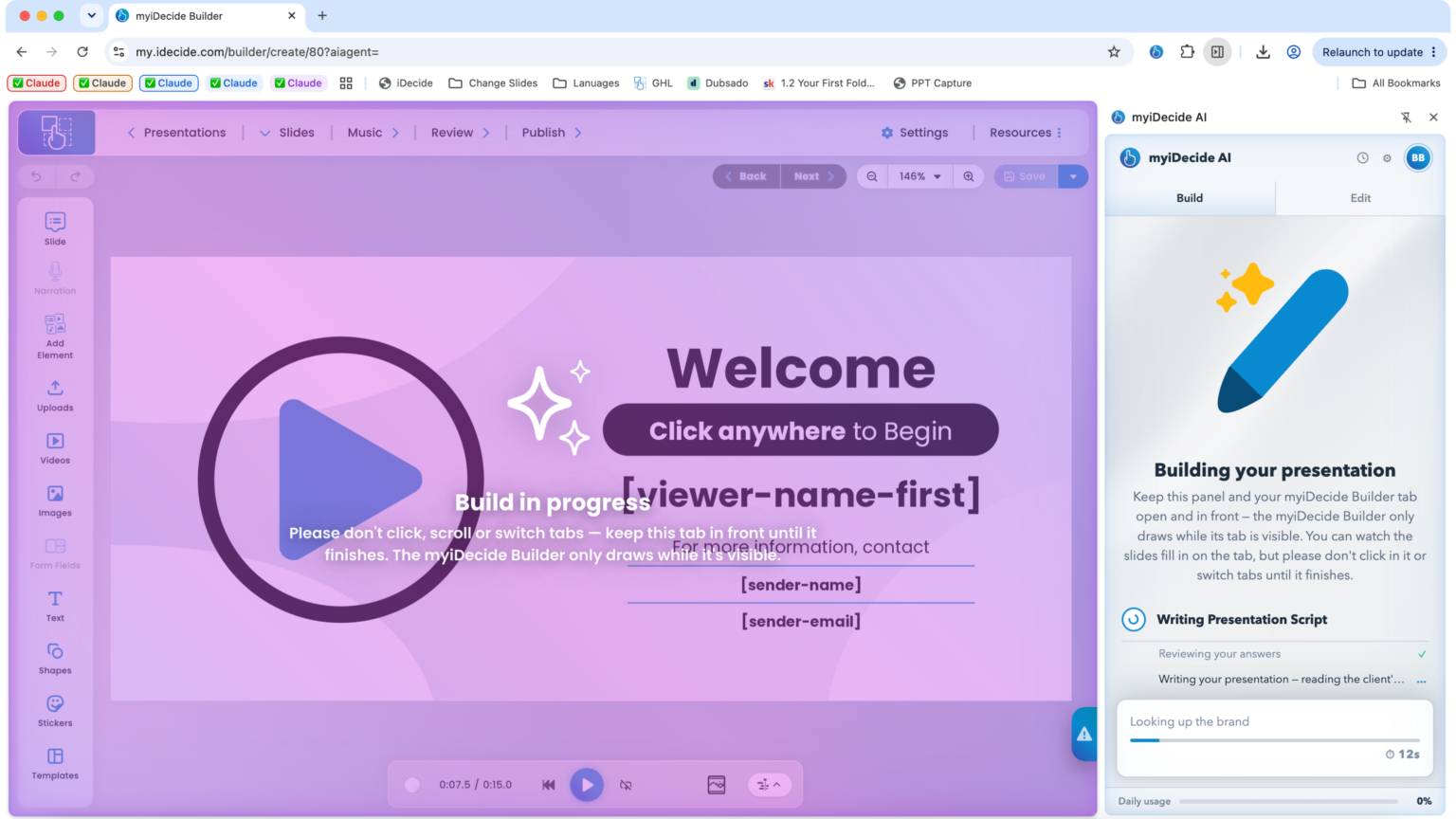
It opens in a side panel next to the myiDecide Builder and creates your presentation slide by slide while you watch.
Add it to Chrome
Install it from the Chrome Web Store in a click and sign in to myiDecide.
Tell it about your business
Share your website or answer a few simple questions.
Watch it build
It writes the script, maps the presentation, creates the graphics and wires every menu and button.
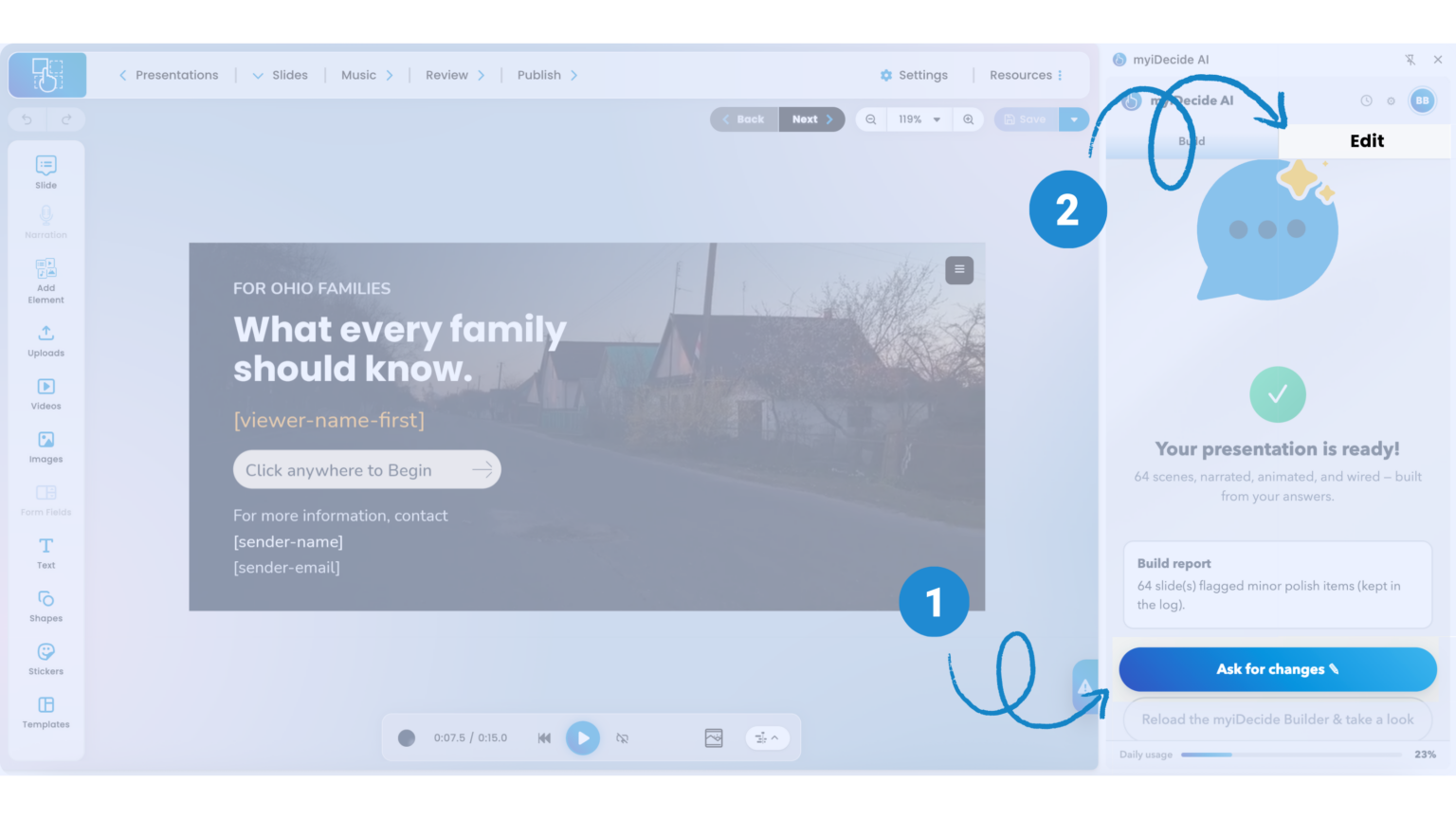
Easily Ask For Changes
Click Ask For Changes, or open the Edit tab anytime, and tell it what to fix.
Works in Google Chrome on a Mac or Windows laptop or desktop. See how it works
Standard vs Pro
| Estándar | Pro Lifetime | |
|---|---|---|
| Send your company’s presentations | Yes | Yes |
| Build your own presentations | No | Unlimited |
| iDecide AI Chrome Extension | No | Included |
| Edit any presentation with iDecide AI | No | Included |
| Templates and PowerPoint upload | No | Included |
| Use it for any business or side hustle | No | Yes |
How It Works
Build
Let iDecide AI build it, upload a PowerPoint, start from a template, or drag and drop from scratch.
Share
Send a link by email, text, WhatsApp, or social - right from the iDecide app.
Track
See who started, who finished and what they chose, so you know exactly who to call.
iDecide AI Presentation Builder Launch Special
Pro forever, for the price of one year of Pro.
Pro Annual is $997 every year. Right now, Pro Lifetime is $999 one time, and your most recent Standard payment comes off the top.
Ends Sunday, November 1 at 11:59 PM ET. After that, Pro Lifetime goes back to $1,497 and the bonuses go away.
Save $498, or choose 3 monthly payments of $333.
- Pro Lifetime: never pay again
- Unlimited myiDecide builds
- The iDecide AI Presentation Builder Chrome Extension
- Up to 2 hours of help from our design team
- 30 days of live 1:1 training
- Full credit for your most recent Standard payment
- 3 day money back guarantee
Already upgraded? You're all set.
Got Questions?
What do I need to use the iDecide AI Presentation Builder?
Google Chrome on a Mac or Windows laptop or desktop, and a Pro account. It does not run on phones, tablets or Safari.
How long does a build take?
About 20 minutes. Keep the Builder tab open and in front while it works, and you can watch the slides fill in.
Can I change what iDecide AI builds?
Yes. Click Ask For Changes after a build, or open the Edit tab anytime, and tell it what you want. You can also edit everything by hand in the myiDecide Builder.
What happens to my Standard payment?
You get full credit for your most recent Standard payment toward your upgrade.
What if Pro is not right for me?
You have a 3 day money back guarantee. Try the iDecide AI Presentation Builder, and if it is not for you, we will refund you.
Let iDecide AI build your first one this week.
Pro Lifetime for $999. Launch pricing ends Sunday, November 1 at 11:59 PM ET.
Upgrade to Pro Lifetime